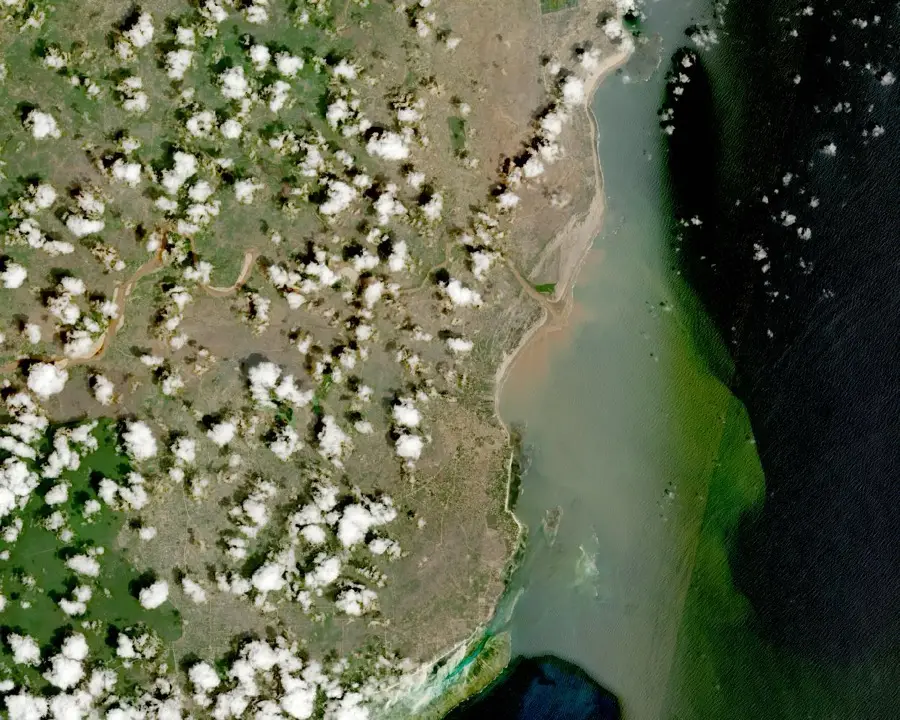
See how land changed over time
People who buy, own, value or manage land often need a quick factual view of how a site and its surroundings have changed. The satellite archives hold that history, but finding and comparing the right scenes takes GIS skills and hours of work.
This service does that work for you. Draw your area, choose a period, and our system searches the Sentinel-2 archive (Landsat to follow), selects the clearest observations, compares them, and emails you a report with GIS-ready files. No account is needed.
What the report includes
Dated scene pages
One full-page true-colour map for every selected observation, with the acquisition date, satellite, scene ID and numeric resolution.
Earliest vs latest comparison
Two maps at identical scale and extent, so change over the period is visible at a glance.
Vegetation and water indicators
Median NDVI and water-signal values where the data supports them, with plain-language notes.
Quality metrics
Cloud, shadow and valid-pixel percentages calculated over your exact area, not the whole satellite scene.
GIS package
A ZIP with the PDF, your area as GeoJSON, clipped georeferenced GeoTIFF rasters, previews and a manifest with checksums.
Method and provenance
Every report states its data sources, selection method, limitations and open-data attribution.
Request your report
Define your area, choose a period, and submit. You get a reference immediately and the report by email once processing finishes.
How scene selection works
We search the archives
The system queries the Copernicus Sentinel-2 catalogue for every observation of your area in your period. The Landsat catalogue joins once its processing path is validated.
Each candidate is checked over your area
Cloud, shadow and valid-pixel cover are measured over your exact polygon. A scene that is clear over your land passes even if the wider image is cloudy.
The clearest spread is selected
The system picks the clearest usable scene near the start of your period, the clearest near the end, and up to four more spread across the interval. 2 to 6 scenes in total.
Imagery is prepared remotely
Selected scenes are cloud-masked, clipped to your area with context, and rendered with one consistent true-colour preset.
Your report is built and emailed
The PDF and GIS package are assembled, verified, and linked in an email. Download links stay active for 30 days.
Suitable uses
Development history
See when construction, clearing or earthworks appeared around a site.
Vegetation change
Track clearing, regrowth and seasonal patterns on farmland or bush.
Flooding and surface water
See visible water extent after floods, and how rivers and ponds moved.
Shoreline and river context
Follow shoreline position and river-course change near coastal or riparian land.
Quarrying and earthworks
Watch excavation footprints grow or recover over the years.
Pre-purchase screening
A quick factual history before valuation, insurance or a field visit. It supports due diligence; it does not replace it.
What 10 m and 30 m pixels can show
Sentinel-2: 10 m pixels, 2015 onward
Each pixel covers 10 x 10 metres. Building clusters, roads, large clearings, fields and water bodies are visible. Single small structures are not.
Landsat: 30 m pixels, planned
Each pixel covers 30 x 30 metres, reaching back to 1984. Not yet enabled: reports currently use Sentinel-2 from July 2015, and Landsat will extend the range once validated.
What this imagery cannot do
It cannot show beacons, fences, vehicles or single small buildings, and it cannot determine a legal boundary. Your drawn area is a reference overlay, not a cadastral determination.
Common questions
Do I need an account? +
No. You give an email address so the report has somewhere to go. Nothing else is required.
Can it prove my boundary or detect encroachment? +
No. At 10 m and 30 m resolution, beacons and fences are not visible. The area you draw is shown as a reference overlay only. For boundary questions, use our cadastral or boundary verification services.
Will I get an image from my exact requested dates? +
The system selects the clearest observations within your range. The report shows the real acquisition dates, not your requested boundary dates. Cloud cover decides what is usable.
How far back can the report go? +
Reports currently reach back to July 2015, where Sentinel-2 coverage starts. The Landsat archive back to March 1984 is planned and will extend the range once its processing path passes validation.
How big an area can I request? +
Up to 25 km² per report. Small parcels are welcome, with the note that one Sentinel-2 pixel covers 10 x 10 metres.
What if there are not enough clear images? +
If we cannot find two usable scenes, the report is not generated. You get an explanation and a one-click way to retry with a wider date range.
Need more than the satellite view?
The report includes the PDF and the GIS package. Download links stay active for 30 days. If the report raises questions only fieldwork can answer, our cadastral, verification and drone teams quote within one working day.